

If you are a beneficiary
What you see before the trigger fires, what changes when it does, and how to reach the Legacy Vault.
A beneficiary is someone an estate owner has named to inherit. For most of the time you are a beneficiary you will see almost nothing, which is the point: the vault stays sealed while the owner is fine.
Accepting the invitation
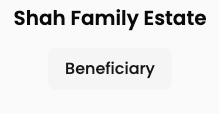
The card names the estate, your role, and the relationship the owner recorded for you. Accepting links your account to the estate.
Owners do not email beneficiaries by default. You only get an invitation if the owner chose to include the beneficiary role when sending invites.
Before anything happens
Your dashboard shows a Beneficiary Access panel with a Current Status: note saying the vault is active and managed by its owner. That is all. The sidebar shows only Dashboard and Time Capsule (for anything the owner left sealed for you), because SecureVault, DigiWish and Stakeholders are the owner's screens, not yours.
You cannot see what you will inherit, and you cannot see the will. Nothing is hidden from you out of spite: the contents are encrypted with a key that has not been released yet.
When the vault is released
Once an executor has triggered a transition and the cooldown has elapsed, the panel becomes Vault Access Granted. The summary says the owner's vault has moved to Legacy status:
The Access Legacy Vault button takes you to what the owner left you.
Next Steps lists three things: access your Legacy Vault to view inherited assets, use the provided vault keys to unlock it, and consider moving to your own Secure Vault.
LegacyVault appears in the sidebar. It was not there before.
BlockWill Ceremony Details records how the owner arranged for the unlock secret to reach you. Read this before you try to open anything.
What is in the Legacy Vault, and how to unlock it, is in Legacy Vault.
BlockWill cannot open the vault for you. If the owner never arranged a way to get the unlock secret to someone, the contents stay encrypted permanently. That is why the ceremony details matter more than any other screen on this page.
If you were notified in error
An executor can call off a transition during the cooldown, before you are ever told. If you have been notified, the cooldown is over and the release is final. Contact the executor if you believe it was a mistake: it is their record to explain, not something the app can reverse.